Sync Active Directory Group Members to SharePoint
Synchronising Active Directory Group Members to a SharePoint Security Group using Data Sync.
You can use Data Sync to feed data from your Active Directory into SharePoint On-Premise Security Groups to ensure members with access are always up to date.

Requirements
Before getting started you need to ensure you have the following:
- Windows 10 or Windows Server
- Downloaded & Installed Data Synchronisation Studio
- A data set with your user details listed
- Access to Active Directory
If you do not have Data Synchronisation Studio you can get a free evaluation edition here.
Connect to Active Directory
Start by opening Data Sync and connecting your source to Active Directory. To do this click onto Connect Datasource in the source window and go to Active Directory > Active Directory V2 - Users/Contacts/Groups/Computers.
As this project is specifically updating groups we need to change the DefaultAttributes property to Groups.
Then enter in the LDAP path to your Active Directory instance, and enter in any credentials you need to access AD. You can enter in the full LDAP path (including the server name) or just the server name.
If you just use the server name your path would look similar to: LDAP://dc01.
Otherwise an example path connecting to a specific OU could be: LDAP://dc01/OU=Test,DC=demo,DC=simego,DC=com.
We have more details on finding the LDAP Path in our documentation.
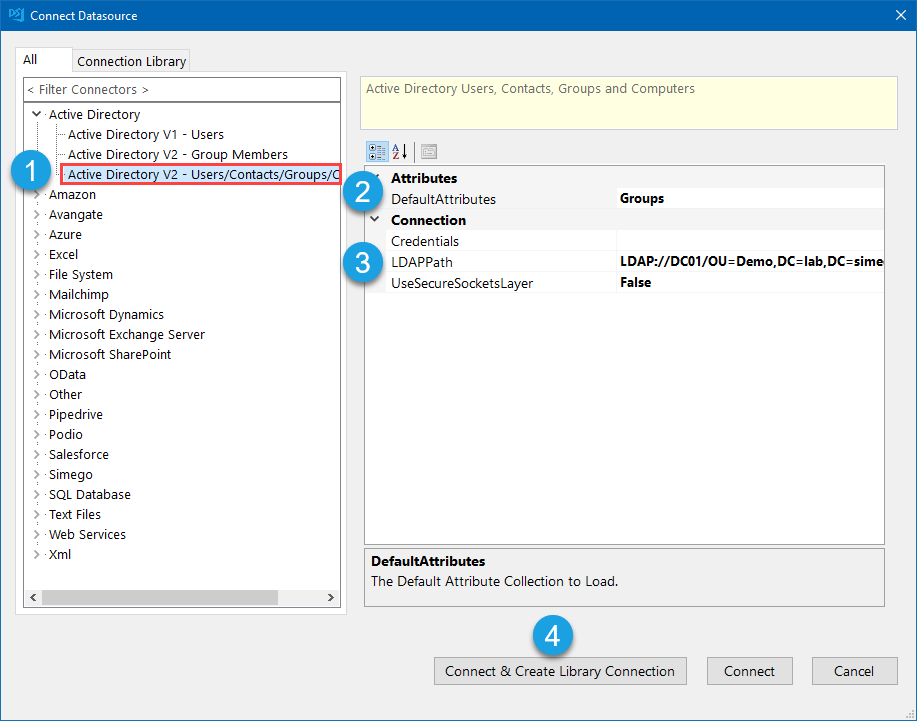
Then click Connect & Create Library Connection to save the connection to the connection library. Enter in a name for the connection into the windows that pops up and click OK. You can refresh the connection library window (to the left of the Data Sync window) and your Active Directory connection will now be visible in the list.
This only needs to be done once per OU as you will be able to access other objects such as Users and Contacts from the connection window.
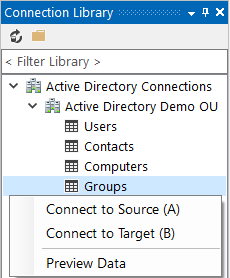
If you have already saved your connection to AD you can select the Groups object from your AD connection.
Connect to the SharePoint Security Group
The next step is to connect to your On-Premise SharePoint Security Group.
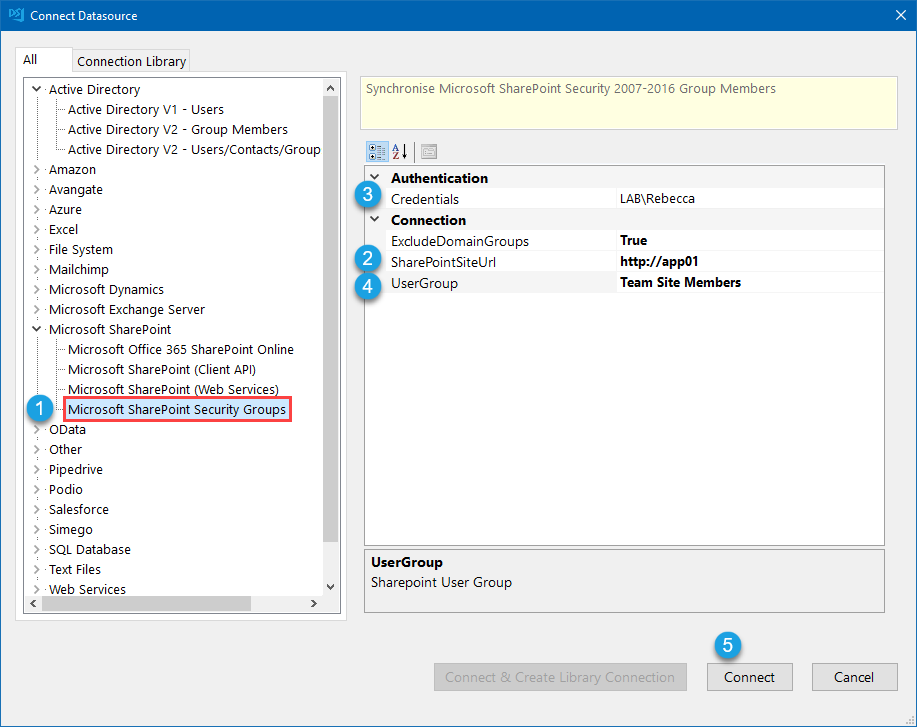
To do this click onto Connect Datasource in the target window and go to SharePoint > SharePoint Security Groups.
Enter in the URL to your SharePoint server and any credentials you need to connect. Then select the Security Group from the UserGroup dropdown list and click Connect to connect your target.
Mapping
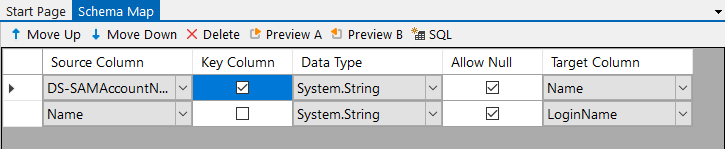
Now you need to configure the schema map so that the Active Directory SAMAccountName (DS-SAMAccountName) is mapped to Login name column in SharePoint.
You also need to set the SAMAccountName to be the key column used to identify each record.
Preview and Sync the Results
Then you can click the Compare A >B button in the toolbar and preview the results. In this example we have 2 user records to add. Clicking onto the result row will show you a preview of the data to be added to SharePoint.
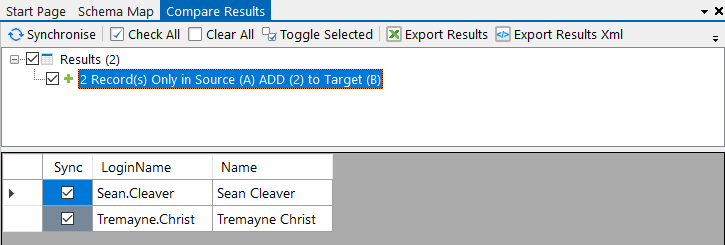
To synchronise the results click Synchronise and then Start to begin the sync.
If we take a look into the Security Group in SharePoint we can see that the two members have now been added.
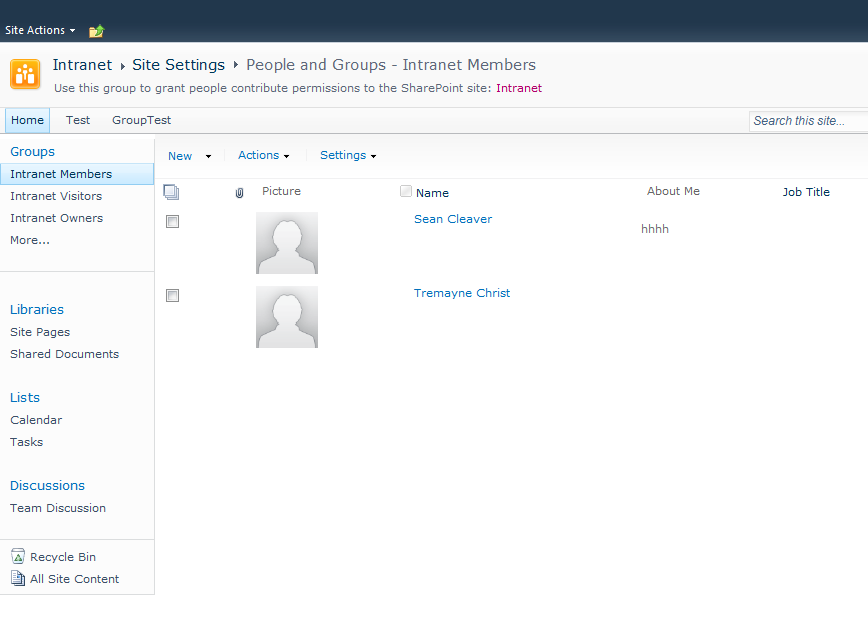
Now that the users have been correctly added to SharePoint you can also setup a standard SharePoint List sync with the User Information List to populate other meta data from Active Directory into SharePoint. Just set the Active Directory default attribute to Users, filter the records to return only those in that group, and add the columns that you want to include into the schema map and link them to their corresponding column in SharePoint.
Automate & Schedule
You may want to automate the manager update project so that it runs on a regular basis so that your Active Directory is always kept up to date. To do this you can use either the Run Tool or Ouvvi.
Ouvvi gives more options for scheduling, with both time and event based triggers. So you could configure a trigger to start your project whenever a change is detected in your SQL table or SharePoint List. Note that this requires using a modified date time stamp in your SQL table.
Alternatively you can use the run tool to schedule the project to run using Windows Task Scheduler.
Run via the Run Tool
The Run Tool is an additional program that comes linked to Data Sync and enables you to build out your data integration jobs.
You can use this to group Data Sync projects that need to run in order and add additional step types such as adding an status report to email you when the project has run and if there were any failures. Each step is run in the order it appears in the list and you can apply conditional rules so that the next step can run if the previous one succeeded or had data changes for example. To find out more please see our Run Tool Documentation.
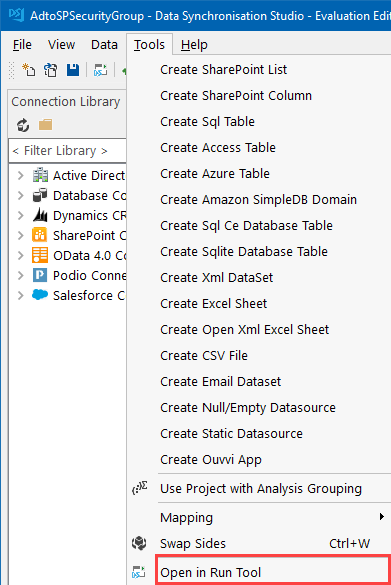
To open your project in the Run Tool, in your Data Sync project go to Tools >Open in Run Tool.
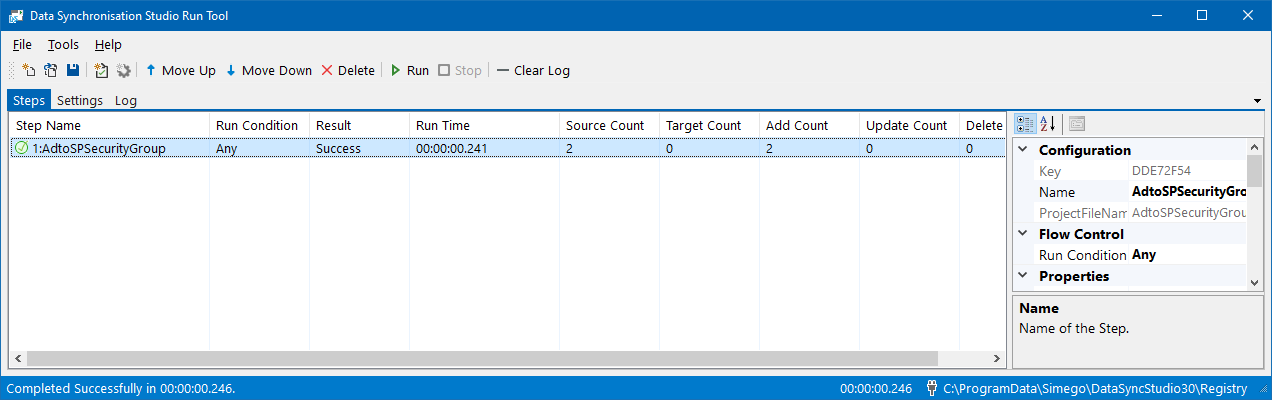
You can then click onto the green Run button to check it runs as expected. If there are data changes you will be provided with a count of how many items were added updated or deleted
Run via the Command Line
Another option is to Run the Run Tool project or single Data Sync project from the command line. To do this pass the path to the project file like this:
Run Tool Project
Data Sync Project
Automate with Windows Task Scheduler
You can then schedule your Run Tool project to run when you need it to using Windows Task Scheduler. For the full details on how to do this see our Task Scheduler Documentation.
Automate with Ouvvi
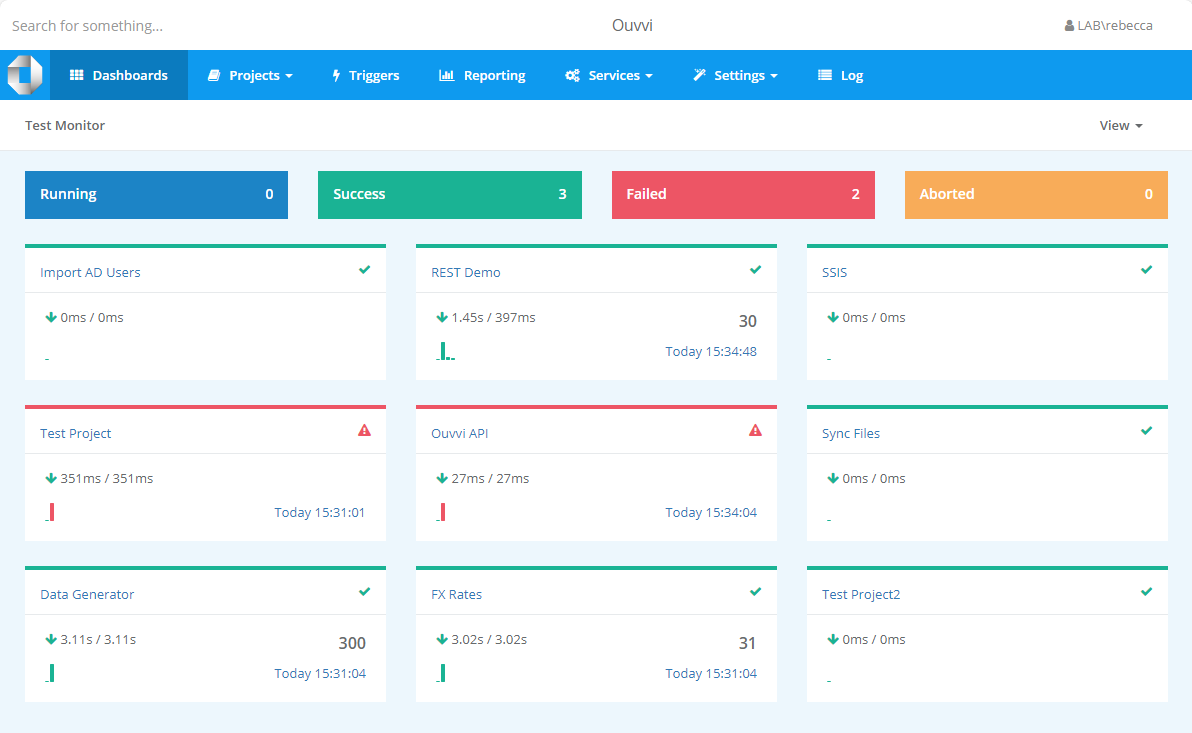
An alternative option, with more scheduling capabilities is to use Ouvvi Automation Server. Ouvvi enables you to fully schedule and manage all of your Data Integration Projects, from Data Sync projects to SQL Statements to Powershell Scripts.
It provides full logging and documentation capabilities to fully manage your integration operations.
To find out more see our Ouvvi Documentation or send us an email.
If you would like to learn how to synchronise Active Directory Users with a SharePoint Online List take a look at our blog post.