SQL Admin Studio
Fast database management for developers and DBAs.
Design, compare, query, edit, and manage SQL databases without the bloat. Connect to SQL Server, Access, MySQL, and PostgreSQL from one streamlined tool.
Overview
What is SQL Admin Studio?
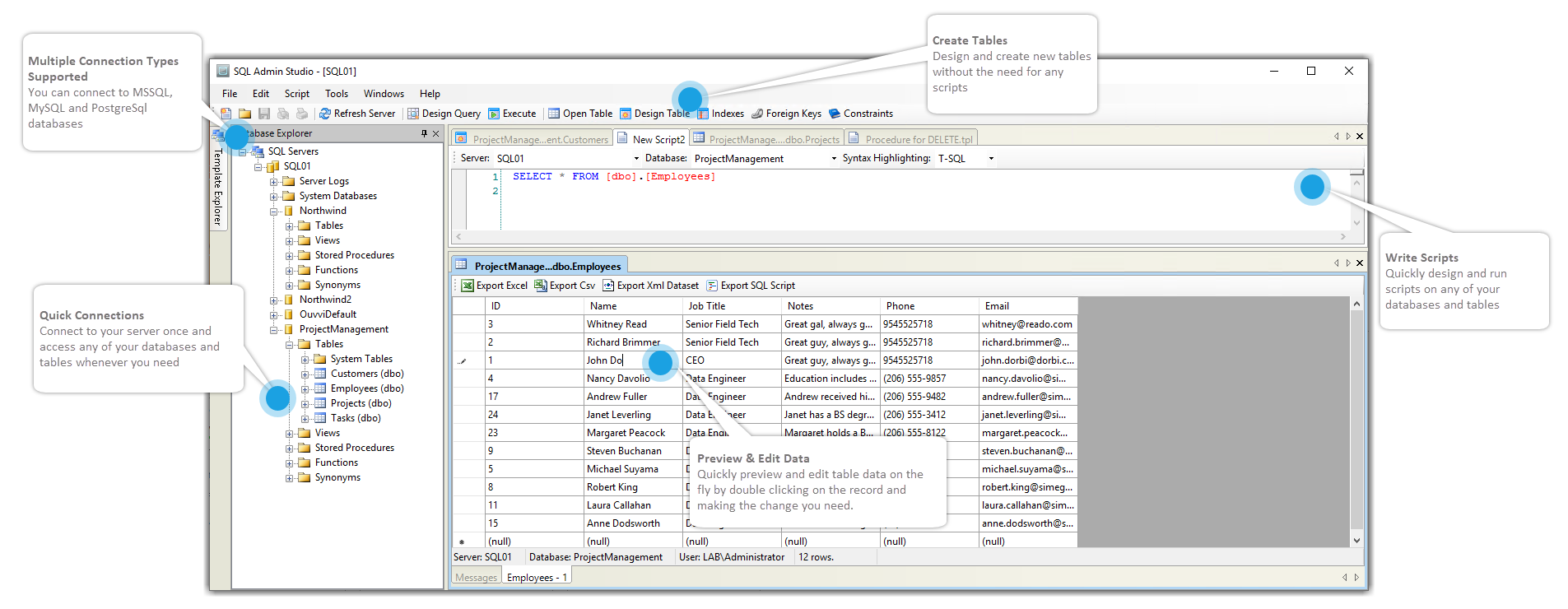
SQL Admin Studio is a powerful SQL database design and management tool built for software developers and database administrators. It gives fast access to your databases without unnecessary complexity.
Connect to SQL Server, MS Access, MySQL, and PostgreSQL. SQL Admin Studio makes day-to-day database work simple and efficient.
The dynamic text editor includes IntelliSense to help create and edit scripts, including stored procedures. You can drag and drop objects into the script window to avoid mistakes and target the correct database objects.
When previewing table data, edits can be made directly in specific cells without needing to write scripts. You can compare schemas or make changes to a single table schema just as easily.
Free to Use
Download and use at no cost
SQL Admin Studio is completely free to download and use. No hidden costs, no subscriptions, and no trial periods.
Compare
Schema comparison
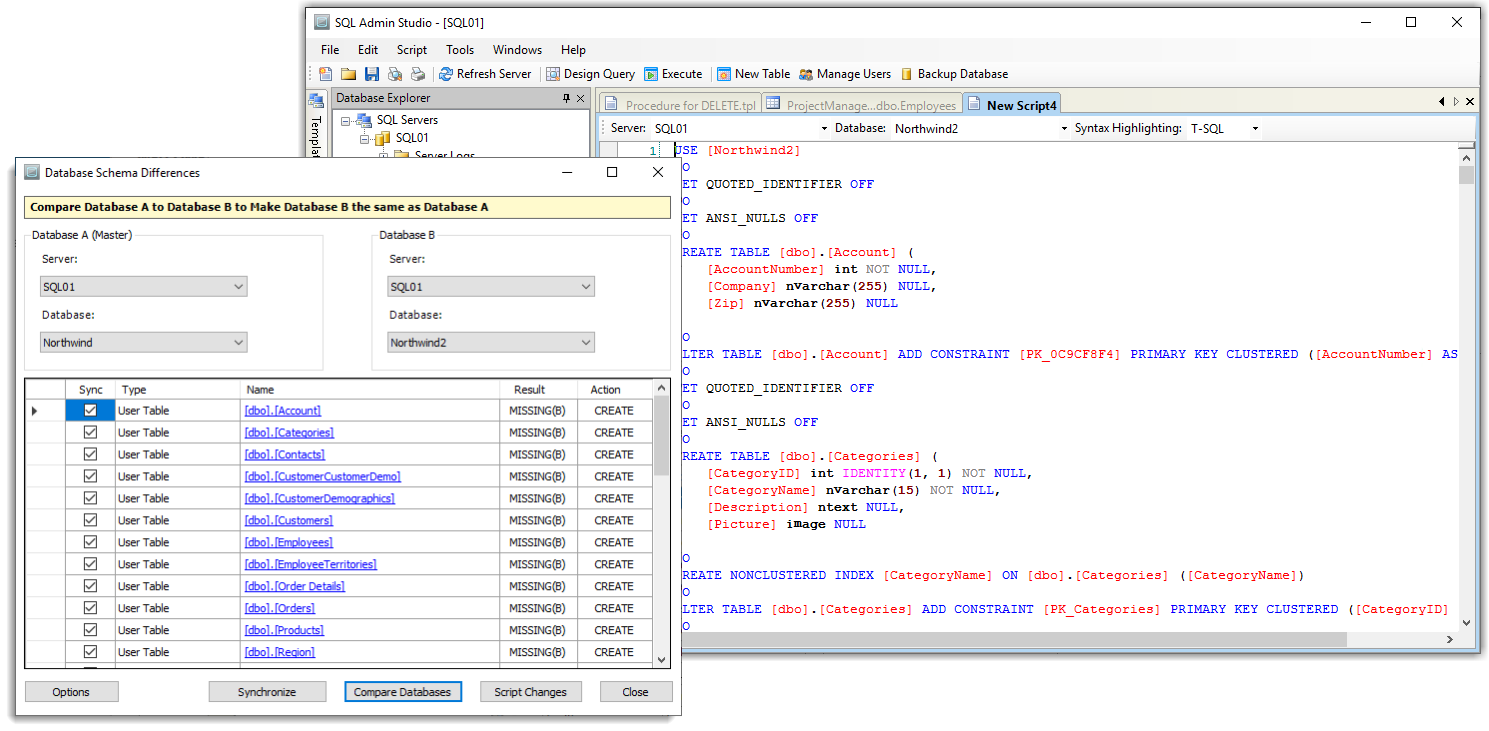
Quickly compare schemas between databases to find differences that were made. Select the tables to update, click Synchronise, and SQL Admin Studio handles the changes for you.
If you need more control, generate the change script and edit the full SQL statement before applying it.
Synchronise
Data compare
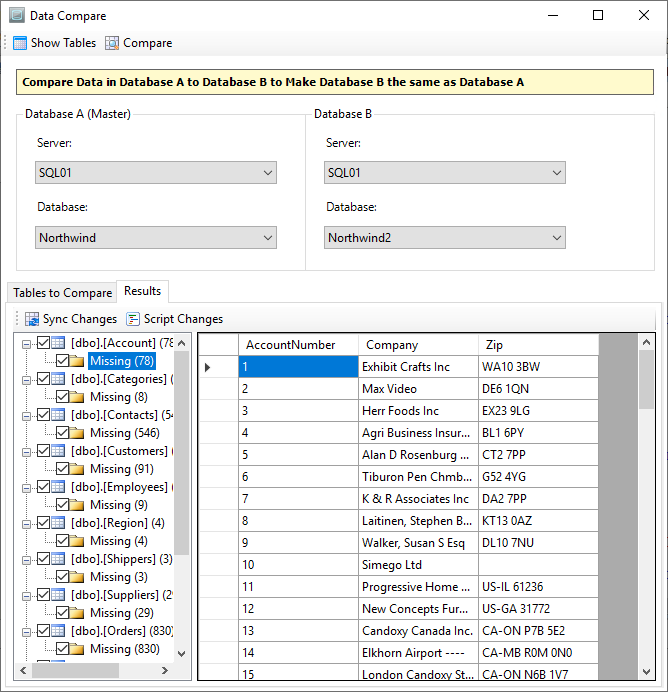
Compare data between tables by setting a source and target database, loading the tables, and running the comparison.
Differences are grouped by table so changes can be reviewed before applying them. Specific tables can also be excluded from the sync process.
Features
Everything needed to manage and work with your databases
Connect to SQL Server, MySQL, Access, and PostgreSQL databases from one tool.
Export Data
Export result sets and data to CSV, Excel, XML, and SQL script files directly from the results window.
Import Data
Import data across servers, copy existing databases, move Access data into SQL Server, or load CSV, TAB, Excel, and XML datasets.
Preview Data
Preview table data and inspect changes before applying imports or comparisons.
Compare SQL Database Schemas
Compare two SQL Server database schemas, locate differences, and script changes without dropping and recreating the whole database.
Compare SQL Database Data
Generate SQL data change scripts by comparing database data, then execute them in a transaction or apply them later.
User Code Generation Templates
Create templates in VB.NET or C# to generate ASCII text from the schema for stored procedures, DAL code, or database documentation.
Execute Queries
Create scripts from scratch or from templates, execute ad-hoc queries, and drag database objects into the editor to speed up script writing.